GPU rendered
Ghostty’s Metal renderer. Smooth at 120 Hz, even with a wall of logs.
A native macOS terminal, built on Ghostty
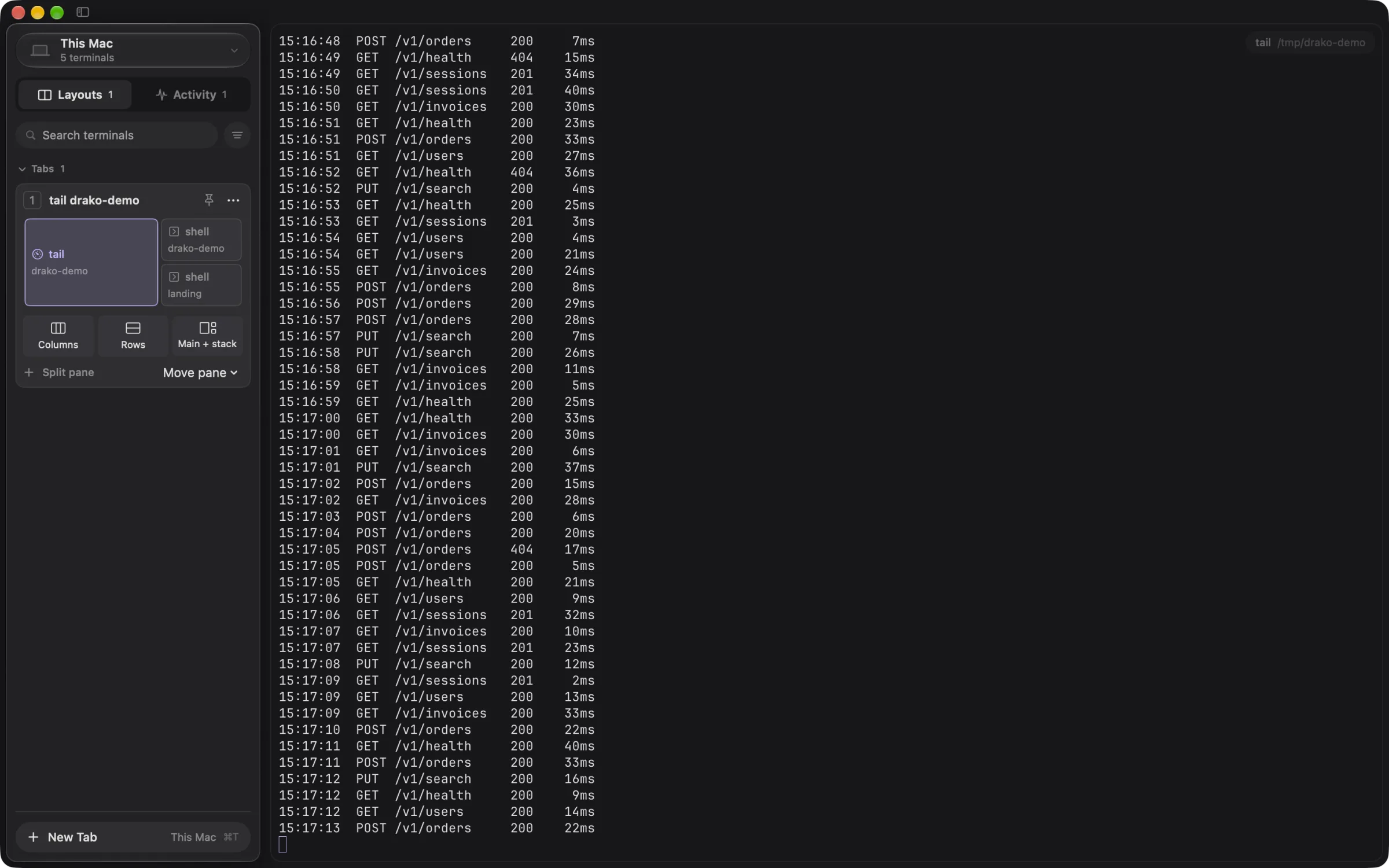
Every pane in Drako is a persistent session. Quit the app, close the lid, lose the Wi‑Fi. Open it again and every tab, screen and scrollback is right where you left it, on every machine.
Persistent sessions
Every pane runs in a drako session outside the app. Quitting Drako only detaches, so your tests, servers and shells keep going.
Open it again and every tab is rebuilt, with its split layout, screen and scrollback.

Multi-host tabs
Tabs belong to you, panes belong to a host. Put your laptop shell next to a server’s logs and a training run on a GPU box, all in the same tab.
The Machines menu shows every host with its status, latency and live terminals.
Network drops
When ssh drops, the session stays alive on the remote machine. The pane just says “disconnected · reconnect”.
Press Enter and you are back inside the same migration, exactly where it is now.
Sidebar
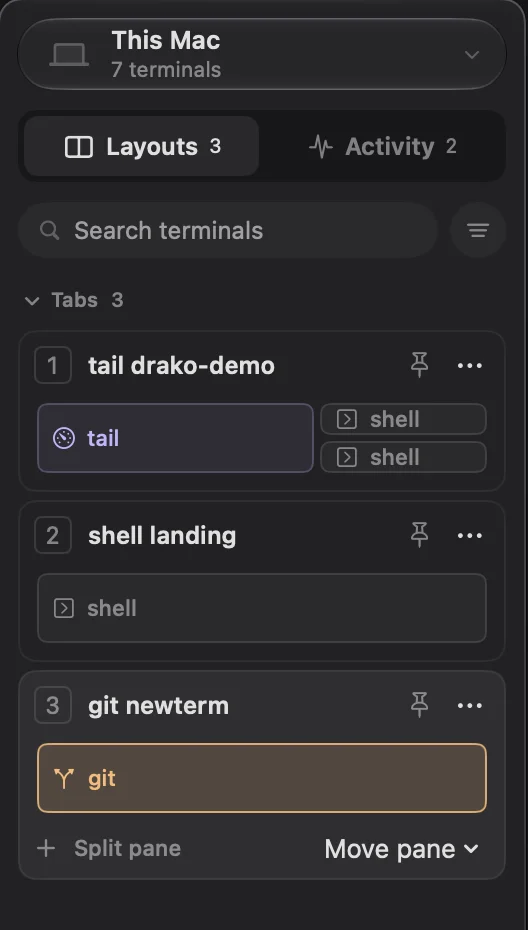
Machines, tabs with their panes, and detached terminals in one sidebar (⌘⇧S). Drag a pane to another tab, swap two panes, or attach a detached session with a click.
Menu bar agent
A tiny agent lives in the menu bar and outlives the app. It lists every window’s layout and brings it to the front, or relaunches Drako right into it.
 Wed 9:41
Ghostty’s Metal renderer. Smooth at 120 Hz, even with a wall of logs.
AppKit and SwiftUI with Liquid Glass. No Electron, no web view.
Reads your Ghostty keybindings, fonts and settings as they are.
Shared connections: new remote panes open in milliseconds.

For macOS 26 or later. Remote hosts only need the drako binary and ssh keys.
Download Drako.app# the session server for this Mac (the app installs it on remote hosts) ❯ curl -fsSL --create-dirs -o ~/.local/bin/drako https://github.com/ChomasDev/drako-server/releases/latest/download/drako-aarch64-macos && chmod +x ~/.local/bin/drako# add your machines ❯ echo "me@devbox" >> ~/.config/drako/hosts# open the app ❯ open -a Drako
Nothing. Every pane is a drako session running outside the app. Quitting only detaches; when you reopen Drako every tab comes back with its screen, scrollback and running programs.
Yes. Tabs belong to the app, panes belong to a host. You can split a local pane next to one running on a server over ssh, and each keeps its own session on its own machine.
The pane shows "disconnected · reconnect". Press Enter or click it and Drako re-attaches to the same session: the build, the logs and the shell are still where you left them.
Yes. Drako is a fork of Ghostty and reads your Ghostty config: keybindings, fonts and settings all carry over, with a neutral charcoal theme applied on top.
The drako binary in /usr/local/bin and key-based ssh access. Drako shares one ssh connection per host, so new panes open instantly.